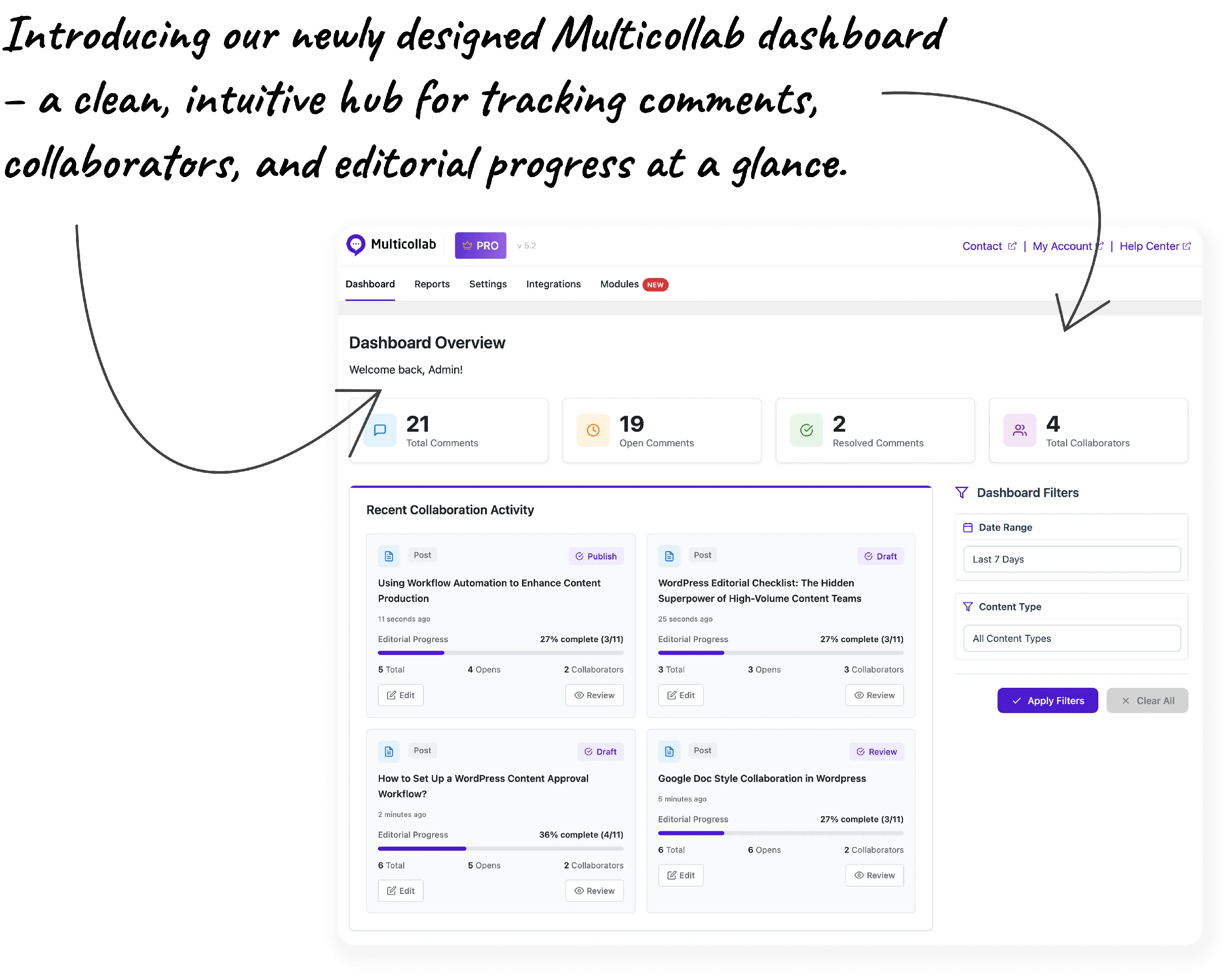
How Multicollab Content Workflows Work (Step-by-Step)
Multicollab 5.2 brings a complete editorial workflow system directly into WordPress.
Step 1: Create the Workflow Steps
Admins start by defining the stages a post must go through before it gets published.
A simple example might be: Draft → Review → Approval → Publish
A more advanced team might use: Draft → Editor Review → SEO Review → Legal Check → Final Approval → Publish
Multicollab now lets you create as many steps as you need, rename them, and structure them to match your editorial process.
Step 2: Assign Role-Based Permissions
For each workflow step, admins choose which user roles are allowed to move a post forward. For example:
- Authors can move content from Draft → Review
- Editors can move content from Review → Approval
- Team leads or managers can mark a post as Approved or Publish Ready
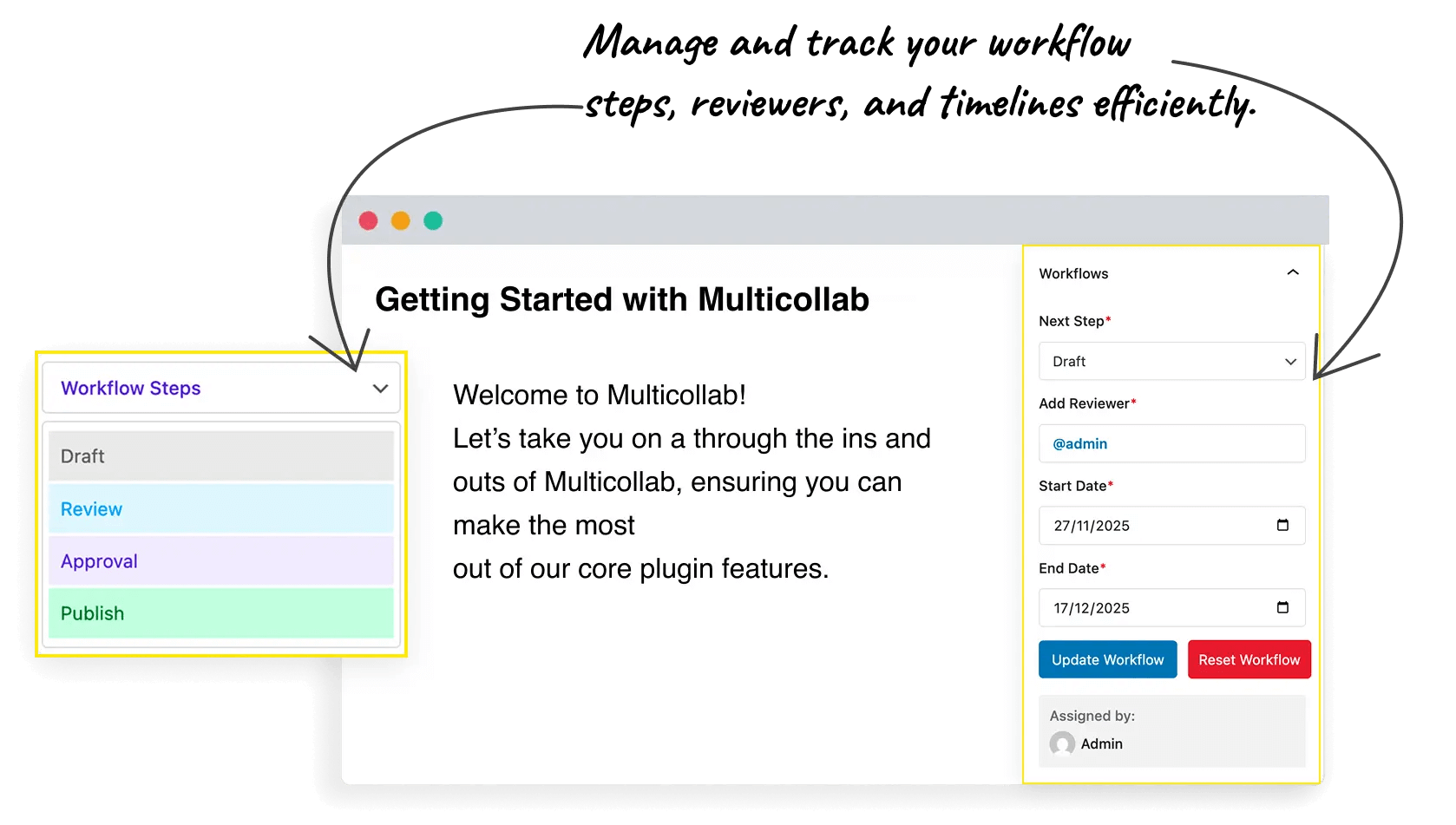
Step 3: Enable or Disable Workflow Steps Anytime
Workflow steps can be turned on or off without deleting them.
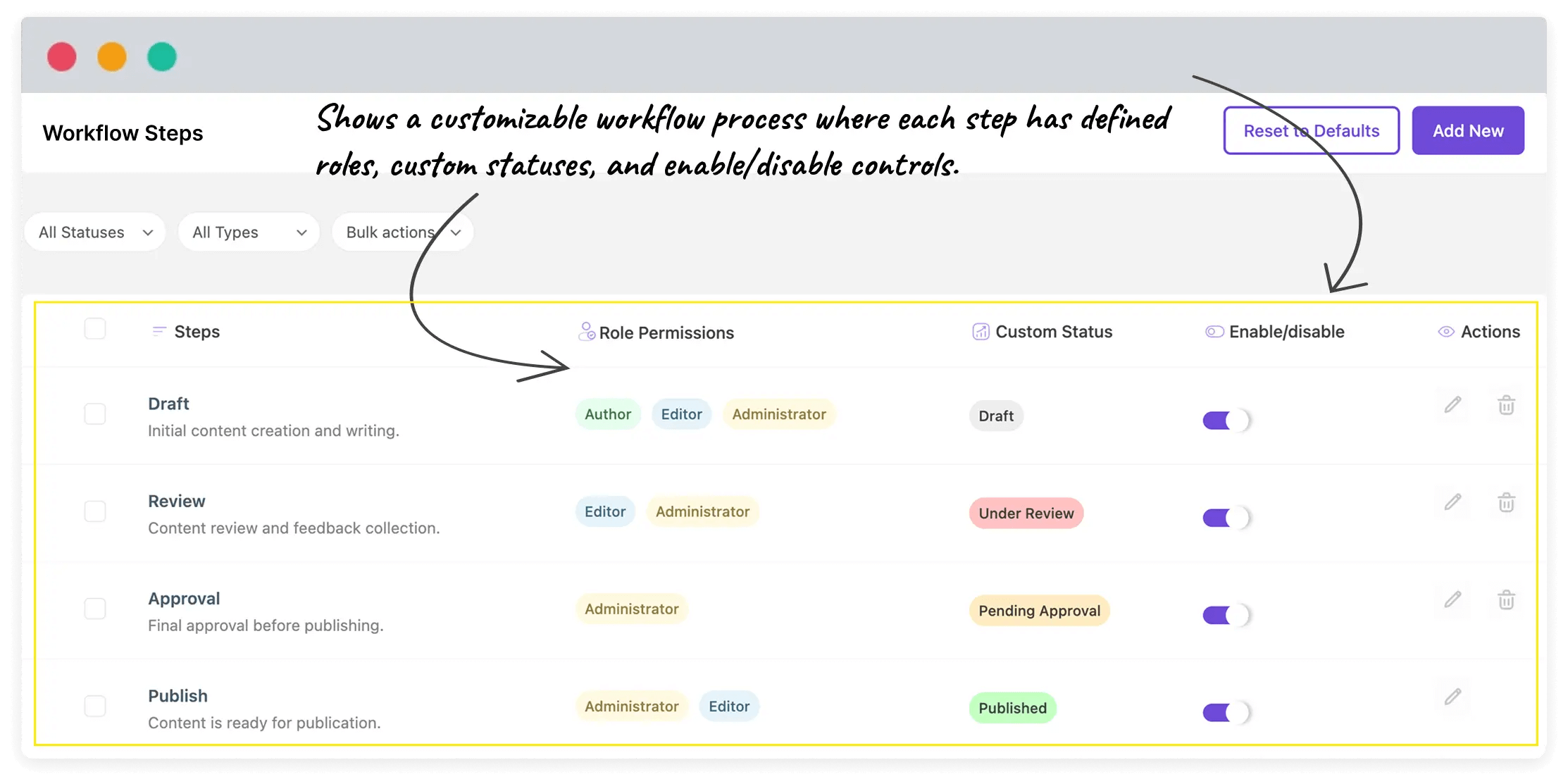
Step 4: Update Workflow Status Inside Gutenberg
The workflow is fully integrated into the WordPress editor, so writers and editors never need to leave their workspace.
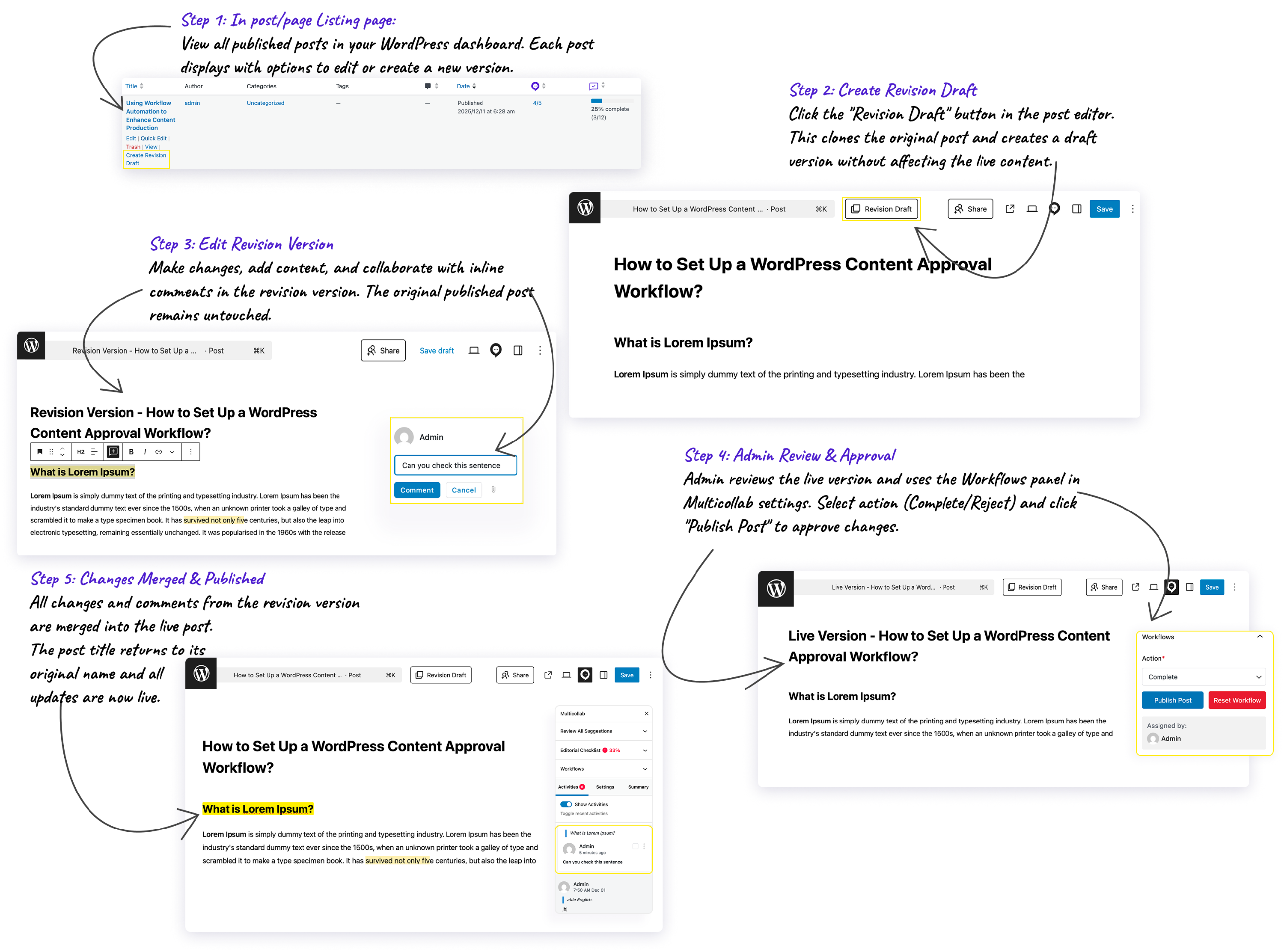
Step 5: Use “Create Version” for Published Content Updates
When updating live content, Multicollab prevents accidental edits by allowing you to:
- Create a version of the published post
- (Review → Approval → Publish) collaborate on new version using comments, suggestions and workflow (Review → Approval → Publish)
- Merge the changes only when approved
This is ideal when your team is handling SEO refreshes, fixing outdated or incorrect information or improving or expanding evergreen posts. Your live content stays safe until the updated version passes through the workflow.
Step 6: Track Progress, Responsibilities & Timeline
Experience a cleaner, more modern interface. Managing workflows, collaboration settings, and editorial tools is easy and intuitive.